


964 Free Fire nicknames and symbols: tap one to copy
Boys 44
Girls 44
Attitude 37
Pro / Killer 40
Sad 37
Love 40
King / Queen 40
Guild names 40
Spaced names 40
Short 4-6 40
Hindi 40
Urdu 40
Tamil 40
Symbols only 442

Styles for “”
 Players’ nicknames for
No player nicknames for this name yet. Add the first one below!
 Just added
 Add your nickname for
Keep it friendly. Names with banned words are rejected automatically.
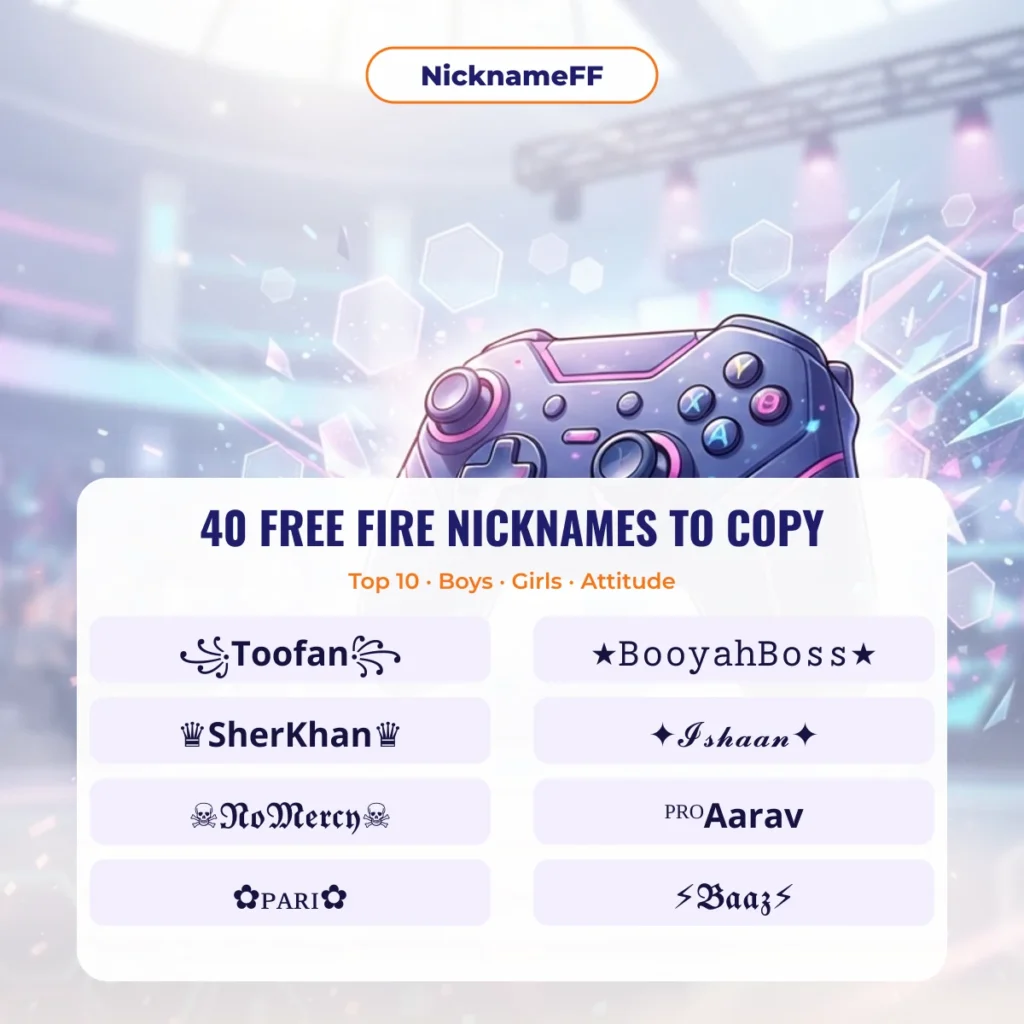
Top 10, boys, girls and attitude Free Fire nicknames
These 40 Free Fire nicknames were written by the NicknameFF Editorial Team for this page. Each one comes in two versions: the styled name on its own and a framed version with symbols. Tap Copy on the version you like, then paste it into the Free Fire rename box.
Top 10 Free Fire nicknames
Hindi for "storm". Short, loud and easy to read in the kill feed.
For one-tap players who live for headshots.
Calm, patient, deadly from far away.
A late-night grinder name with a clean script look.
Celebrates the Booyah! win screen every Free Fire player knows.
Baaz means "falcon" in Hindi and Urdu. Fast and sharp.
Sher means "lion". A name that says you lead the squad.
For players who blame nothing on ping.
Pushes first, asks questions later.
You always make it to the final circle.
Free Fire nicknames for boys
A popular Indian boy name with a PRO tag in front.
The ×͜× crossed-sword look is a favourite for boys.
Vikram means "valour". Gothic letters suit it.
VIP prefix plus small capitals: neat and readable.
The archer. The arrow frame fits the name.
Three letters leave room for a long gun frame.
A softer script style for a calm player.
Tough name, skull frame for rush players.
Tiny raised letters with a lightning frame.
Yuvraj means "prince". The crown says the rest.
Free Fire nicknames for girls
A sweet Indian girl name in flowing script.
Pari means "fairy". Flowers keep it soft.
Tells the lobby who runs the squad.
Gothic letters with a starry, aesthetic frame.
Kavya means "poetry". Hearts on both sides.
Cute face, serious aim.
Tara means "star". Short names look great in tiny letters.
Diya means "lamp". A bright, simple name.
A cheerful name with a blossom frame.
For girls who push first in Clash Squad.
Attitude nicknames for Free Fire
Pure attitude. Nobody gets a second chance.
A classic attitude name with a trident frame.
Rough and royal at the same time.
Three letters, all attitude.
The struck-through letters look like a scar.
Warns the enemy squad before the fight.
Loud and clear. Hard to ignore in the kill feed.
Leader of the pack. The メ marks look like claws.
A savage name with a heavy block frame.
Switches on when the zone closes.
Want your own name in these styles? Type it into the generator at the top of NicknameFF and you get many versions of it in one go.

Featured Free Fire Nicknames
Hand-picked stylish, fancy and unique nicknames for Free Fire. Click to copy and use them in your game!

Top 125 Free Fire Nicknames (Last 28 Days)
| 1 | SARKAR | 3 |
| 2 | ♔ᴘʀɪᴍᴇᴢᴇʀᴏx♔ | 1 |
| 3 | ☣𝐅𝐋𝐄𝐗𝐈ㅤ𝐑𝟕☣ | 1 |
| 4 | ৡ𝑭𝑳𝑬𝑿𝑰ㅤ𝑹7ৡ | 1 |
| 5 | ×͜×ꜰʟᴇxɪㅤʀ7 | 1 |
| 6 | 𝐑 | 1 |
| 7 | SHAMSHAD | 1 |
| 8 | ツ𝐺𝑙𝑎𝑥𝑥𝑦ㅤ4𝑥 | 1 |
| 9 | 🤌 | 1 |
| 10 | ☯7ҲㅤƁƛƊƧӇƛӇ7Ҳ☯ | 1 |
Show all 125
| 11 | ☯ | 1 |
| 12 | ────⋆⋅☆⋅⋆── | 1 |
| 13 | ☯ | 1 |
| 14 | 彡7xㅤʙᴀᴅꜱʜᴀʜ彡 | 1 |
| 15 | ☠𝙿𝚁𝙸𝙰ㅤ𝙲𝚄𝙿𝚄☠ | 1 |
| 16 | ꧁❤•༆Gojo༆•❤꧂ | 1 |
| 17 | 𝐂𝐡𝐡𝐨𝐭𝐮𝐑𝐚𝐣𝐚 | 1 |
| 18 | 亗𝗖𝗵𝗵𝗼𝘁𝘂ㅤ𝗥𝗮𝗷𝗮亗 | 1 |
| 19 | ツsarkar | 1 |
| 20 | ×͜×7𝒙ㅤ𝑩𝑨𝑫𝑺𝑯𝑨𝑯 | 1 |
| 21 | 『FF』⁷ˣㅤᴮᴬᴰˢᴴᴬᴴ | 1 |
| 22 | ℳℛ.𝓡𝓪𝓳𝓪 | 1 |
| 23 | 👸🏻 | 1 |
| 24 | Icebear | 1 |
| 25 | 🅂🄰🅁🄺🄰🅁🅂🄰🄼🄰🅁 | 1 |
| 26 | ♛ꜱᴀʀᴋᴀʀ♛ | 1 |
| 27 | ⚔️ | 1 |
| 28 | ❟❛❟𝐕𝐗ㅤ𝐆𝐚𝐥𝐥𝐱𝐱𝐲ㅤ𝟒𝐱❟❛❟ | 1 |
| 29 | ࿊𝐕𝐗ㅤ𝐆𝐚𝐥𝐥𝐱𝐱𝐲ㅤ𝟒𝐱࿊ | 1 |
| 30 | 亗ˣⁱⁿㅤᵖᵃⁿⁿᵉˡ亗 | 1 |
| 31 | 💻 | 1 |
| 32 | ☘︎ꜱᴀᴛɪꜱʜㅤᴍᴜᴛʜᴍᴀʀᴇ☘︎ | 1 |
| 33 | ঔ♛𝗭𝗼𝗿𝗼𝟎𝟕♛࿐ | 1 |
| 34 | 『VIP』𝟕𝐱ㅤ𝐬𝐮𝐦𝐚𝐧 | 1 |
| 35 | ᴾᴿᴼ𝟳𝘅ㅤ𝘀𝘂𝗺𝗮𝗻ツ | 1 |
| 36 | ◥◣7𝒙ㅤ𝒌𝒂𝒎𝒂𝒍◢◤ | 1 |
| 37 | ☯𝐊𝐢𝐧𝐠ㅤ𝐏𝐮𝐫𝐧𝐢𝐚ㅤ𝐁𝐑☯ | 1 |
| 38 | ꧁𝐊𝐢𝐧𝐠ㅤ𝐤𝐚𝐦𝐚𝐥ㅤ𝐁𝐑꧂ | 1 |
| 39 | ◥◣ᴋɪɴɢㅤᴋᴀᴍᴀʟㅤʙʀ◢◤ | 1 |
| 40 | 『PRO』𝕶𝖎𝖓𝖌ㅤ𝕶𝖆𝖒𝖆𝖑 | 1 |
| 41 | ᵛᶦᵖ𝐊𝐢𝐧𝐠ㅤ𝐊𝐚𝐦𝐚𝐥࿐ | 1 |
| 42 | 👑 | 1 |
| 43 | ∞ | 1 |
| 44 | ◥◣𝐀𝐦𝐤𝟏𝟖𝐠𝐨𝐝◢◤ | 1 |
| 45 | ♚𝓐𝓶𝓴18𝓰𝓸𝓭♚ | 1 |
| 46 | ♛𝐀𝐦𝐤𝟏𝟖𝐠𝐨𝐝♛ | 1 |
| 47 | Amk18god | 1 |
| 48 | ᴳᵒᵈ乡𝓚𝓮𝓼𝓪𝔀亗 | 1 |
| 49 | ꧁♚𝓣𝓱𝓮𝓒𝓵𝓾𝓽𝓬𝓱170♚꧂ | 1 |
| 50 | ♕ᴏʏᴇㅤᴄʜɪɴᴜᴀ | 1 |
| 51 | ミ★7xㅤʟᴇɢᴇɴᴅꜱ★彡 | 1 |
| 52 | ☬𝚅𝚙☬ | 1 |
| 53 | ☬𝚅𝙿_𝚝𝚏𝚒☬ | 1 |
| 54 | ᴾᴿᴼ𝐏𝐫𝐞𝐦ㅤ𝐯𝐢𝐥𝐥𝐚𝐢𝐧✓ | 1 |
| 55 | ───𝐑𝐚𝐣𝐚─── | 1 |
| 56 | ☠︎︎R̸a̸j̸a̸☠︎︎ | 1 |
| 57 | ⎚-⎚𝐑𝐚𝐣𝐚⎚-⎚ | 1 |
| 58 | ★𝑶𝒀𝑬ㅤ𝑪𝑯𝑰𝑵𝑼𝑨★ | 1 |
| 59 | ⚜𝐌𝐚𝐲ㅤ𝟒ㅤ𝟐𝟎𝟏𝟏⚜ | 1 |
| 60 | ☠𝘁𝗼𝗺𝘆☠ | 1 |
| 61 | ◥◣𝐖𝐞𝐥𝐜𝐨𝐦𝐞◢◤ | 1 |
| 62 | ♛𝐎𝐃ㅤ𝐂𝐇𝐈𝐍𝐔𝐀♛ | 1 |
| 63 | «☠︎︎»𝕮𝖍𝖎𝖓𝖚𝖆«☠︎︎» | 1 |
| 64 | ♛𝘾𝙝𝙞𝙣𝙪𝙖♛ | 1 |
| 65 | 彡𝗖𝗵𝗶𝗻𝘂𝗮彡 | 1 |
| 66 | ♛ℂ𝕙𝕚𝕟𝕦𝕒♛ | 1 |
| 67 | 亗𝗖𝗵𝗶𝗻𝘂𝗮亗 | 1 |
| 68 | ミ★𝑅𝐚𝖏𝑎亗 | 1 |
| 69 | ꧁༺𝒯𝒽ℯ𝒞𝓁𝓊𝓉𝒸𝒽170༻꧂ | 1 |
| 70 | ☠︎︎𝐒𝐀𝐑𝐊𝐀𝐑☠︎︎ | 1 |
| 71 | 【𝗦𝗔𝗥𝗞𝗔𝗥】 | 1 |
| 72 | ঔ𝗦𝗔𝗥𝗞𝗔𝗥࿐ | 1 |
| 73 | ᴰˣᴰ | 1 |
| 74 | ★𝔅𝔯𝔬𝔱𝔥𝔢𝔯ㅤ𝔉𝔉ㅤ𝔨𝔦𝔩𝔩𝔢𝔯★ | 1 |
| 75 | ミ★𝐒𝐀𝐑𝐊𝐀𝐑★彡 | 1 |
| 76 | ⚡𝗦𝗔𝗥𝗞𝗔𝗥⚡ | 1 |
| 77 | 𝚅𝙹 | 1 |
| 78 | VJ | 1 |
| 79 | ◥◣ℝ𝕒𝕙𝕦𝕝◢◤ | 1 |
| 80 | ×͜×ℜ𝔞𝔥𝔲𝔩×͜× | 1 |
| 81 | ミ★𝑅𝓪𝗵𝕦𝖑☂ | 1 |
| 82 | ⚜️राहुल⚜️ | 1 |
| 83 | Ʀ | 1 |
| 84 | ミ★ʀᴀʜᴜʟ★彡 | 1 |
| 85 | ঔⱤ₳ⱧɄⱠ࿐ | 1 |
| 86 | 亗𝚁𝚊𝚑𝚞𝚕亗 | 1 |
| 87 | ᵛᶦᵖ𝓥𝔁ㅤ𝓿𝓲𝓹𝓲𝓷♕ | 1 |
| 88 | 🇱 | 1 |
| 89 | 🇺 | 1 |
| 90 | 🇭 | 1 |
| 91 | 🇦 | 1 |
| 92 | 🇷 | 1 |
| 93 | 𝐔 | 1 |
| 94 | ────୨ৎ──── | 1 |
| 95 | Ʀ | 1 |
| 96 | ×͜×𝑽𝗶𝓱𝕒꧂ | 1 |
| 97 | 【𝓥𝓲𝓱𝓪】 | 1 |
| 98 | ꧁𝗩𝗶𝗵𝗮꧂ | 1 |
| 99 | ꧁༺𝒱𝒾𝒽𝒶༻꧂ | 1 |
| 100 | ×͜×𝐕𝐢𝐡𝐚 | 1 |
| 101 | ☬𝓥𝓲𝓱𝓪☬ | 1 |
| 102 | ×͜×𝕍𝕚𝕙𝕒☂ | 1 |
| 103 | 🖕( •_• ) 🖕 | 1 |
| 104 | ꧁ঔৣ☬✞ᴠɪʜᴀ✞☬ঔৣ꧂ | 1 |
| 105 | 『ᴳᴼᴰ』🆅🅸🅷🅰 | 1 |
| 106 | ×͜×ᴛʜᴇㅤᴀᴘᴇx | 1 |
| 107 | ⟐ᴛʜᴇㅤᴀᴘᴇx⟐ | 1 |
| 108 | ♛ | 1 |
| 109 | 妥𝗧𝗵𝗲ㅤ𝗮𝗽𝗲𝘅妥 | 1 |
| 110 | 妥ᴛʜᴇㅤᴀᴘᴇx妥 | 1 |
| 111 | 亗𝐓𝐡𝐞ㅤ𝐚𝐩𝐞𝐱亗 | 1 |
| 112 | ᴳᵒᵈ乡𝚃𝚑𝚎ㅤ𝚊𝚙𝚎𝚡亗 | 1 |
| 113 | 『ᴸᴱᴳᴱᴺᴰ』ᴋɪɴɢㅤꜱɴɪᴘᴇʀ | 1 |
| 114 | ⚛︎𝔐ℜㅤ𝔰𝔞𝔧𝔦𝔡⚛︎ | 1 |
| 115 | ×͜×𝔐ℜㅤ𝔉𝔞𝔯𝔥𝔞𝔫×͜× | 1 |
| 116 | ✎﹏𝙁𝕒𝒓н𝗮𝔫™ | 1 |
| 117 | ᴳᵒᵈ乡𝗙𝗮𝗿𝗵𝗮𝗻亗 | 1 |
| 118 | 『ᴸᴱᴳᴱᴺᴰ』𝗦𝗮𝗷𝗶𝗱 | 1 |
| 119 | ﹌﹌﹌﹌﹌ | 1 |
| 120 | 𝙰𝚁𝙹𝚄𝙽︻デ═一 | 1 |
| 121 | ☠𝐀𝐑𝐉𝐔𝐍☠ | 1 |
| 122 | Ruby girl | 1 |
| 123 | ❀ | 1 |
| 124 | ⏻ƦƛӇƲԼㅤƊƛƘƧӇ⏻ | 1 |
| 125 | ⌖ᴍᴀᴅᴀʀᴀㅤᴠᴇx⌖ | 1 |
Tap a row to copy. Ranked by copies in the last 28 days.

Why use NicknameFF for Free Fire?
Fastest 1-click copy
Copy your favorite nickname instantly.

Thousands of unique templates
Every name you type gets many letter styles, frames and kaomoji.

Indian & Thai styles
Popular styles for Free Fire players in India and Thailand.

100% free
No registration needed. Use anytime, anywhere.

Hall of Fame this week
Picked by our editors · tap a name to copy

Beautiful nickname drops
Curated by our team, sorted by rarity. Tap to copy.

Most searched right now
Names players generated most in the last 7 days. Tap one to style it.

Free Fire symbols to copy
Single symbols and frames players use most. Tap one to copy, then add it around your name.
Symbols, kaomoji and emoji for Free Fire names
Tap any item to copy it, then add it before or after your name.
Frames, wings and crowns
Weapons, skulls and fire
Kaomoji faces
Emoji combos for bios and guild posts
Emoji look great in guild posts and social bios. We have not tested them in the Free Fire name field, so preview before you confirm a rename.
How to change your name in Free Fire
- 1Pick a name. Tap one above or type yours in the generator.
- 2Tap Copy. The name goes to your clipboard.
- 3Open your profile. Tap your avatar in the lobby, then the edit icon next to your name.
- 4Paste and confirm. A rename uses a Name Change Card or diamonds.

Free Fire nickname FAQ
1What are good nicknames for Free Fire?
Good Free Fire nicknames are short (about 6 to 12 visible characters), easy to read in the kill feed and decorated with one frame, such as ×͜×Kabir, ꧁Toofan꧂ or ᴾᴿᴼAarav. Keep the main name in letters every phone can show and put the rarer symbols around it.
2What are the top 10 Free Fire nicknames?
Our top 10 for 2026 are Toofan, Headshot Raja, Silent Sniper, Night Rider, Booyah Boss, Baaz, Sher Khan, Zero Lag, Rush Master and Last Zone. Each is listed on this page in a styled and a framed version with a Copy button.
3Can you get banned for a stylish nickname?
Decorated letters and symbols alone do not break Garena's rules, but Garena resets names that contain insults, hate, sexual words or impersonation, and it can do so without notice. Pick a clean name and you keep it.
4Why a nickname shows boxes on some phones
The phone or the game has no font for one of the symbols, so it draws an empty box. The name itself is fine; swap that symbol for an older one such as ★, ♡ or ✦ and check the preview before you confirm.
More Free Fire name lists and guides
Each list below focuses on one name or topic, with its meaning, a character count and framed versions to copy.
- Free Fire nickname rules and character limit
- Raja naam styles for Free Fire
- Rahul stylish naam ideas
- Free Fire ka naam in Hindi
- Sarkar and other Hindi name styles
- How to change your Free Fire naam
- Raistar-style Free Fire names
- Rai Boss name style
- Zixu name style
- Nick names for boys, including Urdu
- 7x Badshah squad-tag names
- Brazilian and freestyle names
- Nevek name styles
- Galaxy 4X tag names
- Towxz FF name style
- Riot FF name style
- Zerox FF name style
- Free Fire nicknames for girls
- Nepali Free Fire name styles
- FF Nikhil name styles
- NXT classy name style

 Home
Home Blog
Blog Feedback